NSO Group Pegasus Spyware
What is it?
Pegasus is a sophisticated piece of spyware developed by the Israeli cyber-intelligence firm NSO Group. It's designed to infiltrate smartphones running iOS and Android, enabling surveillance of the devices.
Pegasus was developed by NSO Group, a company specializing in cyber-intelligence and surveillance technology.
Pegasus came to public attention in 2016 when researchers from Citizen Lab and Lookout discovered it being used against a human rights activist in the UAE.
Functionality
Pegasus can infect devices through various methods, including spear-phishing (via emails and SMS), zero-click exploits (requiring no user interaction), and exploiting vulnerabilities in popular apps and operating systems.
Capabilities:
- Data Extraction: Once installed, Pegasus can access messages, emails, photos, and other personal data.
- Real-Time Monitoring: It can activate microphones and cameras, enabling real-time surveillance.
- Location Tracking: It can track the device's location.
- Communication Interception: It can intercept phone calls, messages, and other forms of communication.
Detection and Analysis
Pegasus is designed to be stealthy, making detection difficult. It often employs advanced evasion techniques to avoid being discovered Organizations like Citizen Lab, Amnesty International, and various cybersecurity firms have conducted in-depth research to uncover and analyze Pegasus infections. Their reports have highlighted widespread use against journalists, activists, political figures, and others.
Controversy and Legal Issues
Pegasus has been widely criticized for its use in targeting activists, journalists, and political opponents, raising significant human rights and privacy concerns.
Governments and organizations have called for stricter regulation of surveillance technology and greater accountability for its misuse. Some countries have initiated legal actions and investigations into its deployment.
Notable Incidents
- WhatsApp Exploit (2019): In 2019, WhatsApp identified a vulnerability that allowed Pegasus to be installed on phones through a missed call on the app. This incident led to a lawsuit by WhatsApp against NSO Group.
- 2021 Pegasus Project: An investigation by a consortium of media organizations revealed that Pegasus had been used to target thousands of individuals, including heads of state, activists, journalists, and business executives, sparking global outrage and demands for accountability.
Mitigation and Defense
- Security Updates: Keeping devices updated with the latest security patches can mitigate some risks, as many exploits used by Pegasus are based on known vulnerabilities.
- Awareness and Caution: Users should be cautious about unsolicited messages and links, which can be vectors for infection.
- Security Tools: Using advanced security tools and services that monitor for unusual behavior can help detect and prevent Pegasus and similar spyware.
Pegasus represents a significant advancement in surveillance technology but also poses substantial ethical and legal challenges, especially concerning privacy rights and the potential for abuse.
Protect Your Device with Lockdown Mode
If you suspect that your iOS device is under sophisticated attack, such as by Pegasus spyware, consider using Lockdown Mode to enhance your security:
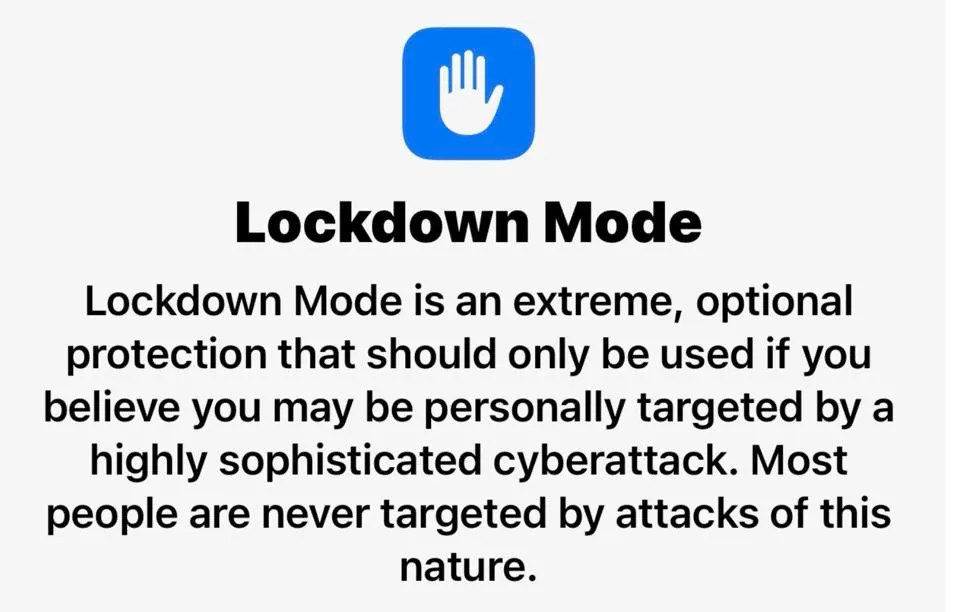
- What is Lockdown Mode? Lockdown Mode is an advanced security feature designed to protect your device from highly targeted cyber attacks by limiting certain functionalities and increasing defenses.
How to Enable Lockdown Mode:
- Open Settings: Go to your device’s settings.
- Privacy & Security: Tap on "Privacy & Security."
- Lockdown Mode: Scroll down and select "Lockdown Mode."
- Activate: Follow the on-screen instructions to activate Lockdown Mode.
Features of Lockdown Mode:
- Restricted Functionality: Limits certain features and services to reduce potential attack vectors.
- Enhanced Protections: Adds extra layers of security for communication and data storage.
- Monitoring & Alerts: Provides alerts for suspicious activity and unauthorized access attempts.
When to Use:
- Suspected Target: If you believe you are a target of sophisticated cyber attacks.
- High-Risk Individuals: Ideal for activists, journalists, and public figures who may be at higher risk.
Additional Tips:
- Keep Software Updated: Regularly update your device to the latest iOS version.
- Be Cautious with Links and Messages: Avoid clicking on suspicious links or opening unknown attachments.
- Use Strong Passwords: Enable strong passwords and two-factor authentication for your accounts.